Case study · Messaging automation · MVP
An email and SMS automation MVP for customer messaging
Campaigns, automated reminders and two-way conversations across email and SMS, built as an MVP to get the product in front of real users.
- MVP
- Product design
- Web application
At a glance
- Our role
- Product design and MVP build
- Stage
- MVP
- Channels
- Email and SMS
- Platform
- Web application
- Core modules
- Campaigns, conversations, contacts, appointments, analytics
01The challenge
Personal messages don't scale by hand.
Sending personalised messages at volume, by email and text, was slow and manual. Follow-ups and reminders were easy to miss.
Our role: Product design and MVP development, from the first scope to a working release.
02Project goals
What the MVP had to prove.
Make outreach simple
Personalised messages, targeted groups and scheduled campaigns, set up in a few clicks.
Reach contacts at the right time
Send the right message by the right channel, and keep replies in one place.
Save time on repetitive sends
Replace one-by-one messages with groups and pre-built automation recipes.
Learn from real users early
Ship a focused MVP first, then decide what to build next based on how people actually use it.
03What we built
Email and SMS campaigns from one workspace.
Campaigns
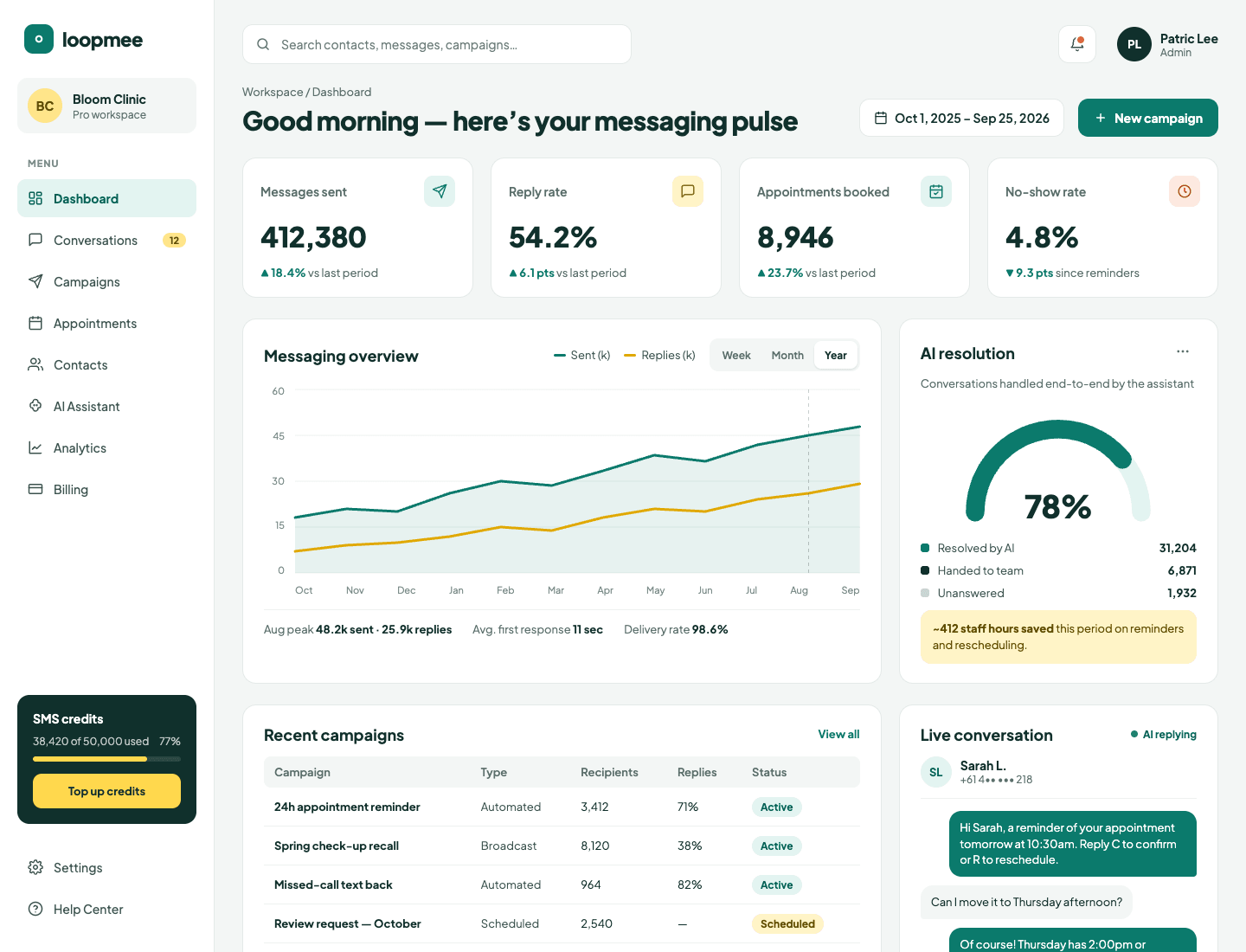
Broadcast, automated and scheduled campaigns, with recipients and replies tracked for each one.
Automation recipes
Pre-built workflows triggered by events, such as appointment reminders and missed-call text-backs.
Two-way conversations
Replies arrive in a shared conversations inbox, so the team can pick up where the automation stops.
Contacts and groups
Contact lists and targeted groups, so each campaign reaches the right people.
Appointment reminders
Reminders that let customers confirm or reschedule by replying to the message.
Messaging analytics
Messages sent, reply and delivery rates, and campaign performance on one dashboard.
04How we delivered
From first workshop to production.
01
Scope
Agreed the core use cases for the first release, and what to leave out of it.
02
Design
Flows and interface for campaigns, automation and conversations.
03
Build
The web platform, email and SMS sending, and the automation engine.
04
Launch
Released to first users to gather feedback for the next iteration.
Related services
Have a platform like this in mind?
Tell us what you're building or what needs fixing. We'll come back with questions and a suggested next step.